What Shopify asks for
Shopify's app requirements checklist asks every submission to:
- "Provide clear instructions and a complete screencast showing your app's setup process and functionality."
- "Demonstrate the expected outcome for each test case."
- "Make screencasts in English or with English subtitles."
- Include valid test credentials if your app connects to a third-party platform, and, for payments apps, screencasts of the payment flow in every supported browser.
The checklist doesn't set a length, file format or hosting rule for the review screencast, so check the submission form when you submit. Our step-by-step guide to the review screencast covers how to plan and record it.
Where Nook helps
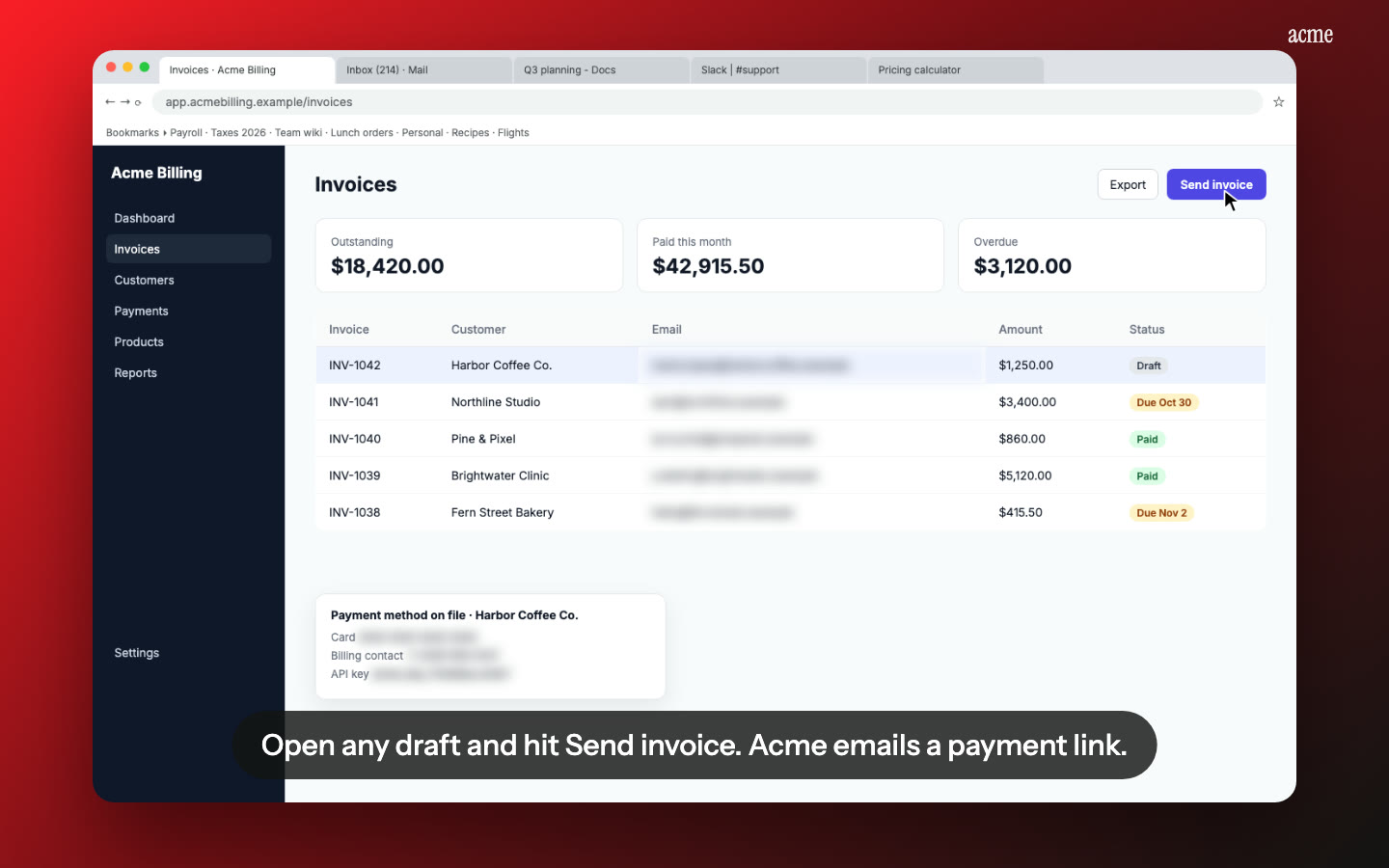
English narration from any recording. Talk while you record, or record in silence. Nook writes a short, clear English line for each step from what you said or what's on screen, and reads it with a natural voice. Your accent, your "ums" and your restarts don't make it into the video.
English captions, built in. Every line also appears as a caption, so the screencast works with the sound off.
Test instructions for free. Alongside the video you get a written step-by-step guide with a screenshot of each step. Paste it into your testing instructions or export it as PDF, Word or Markdown.
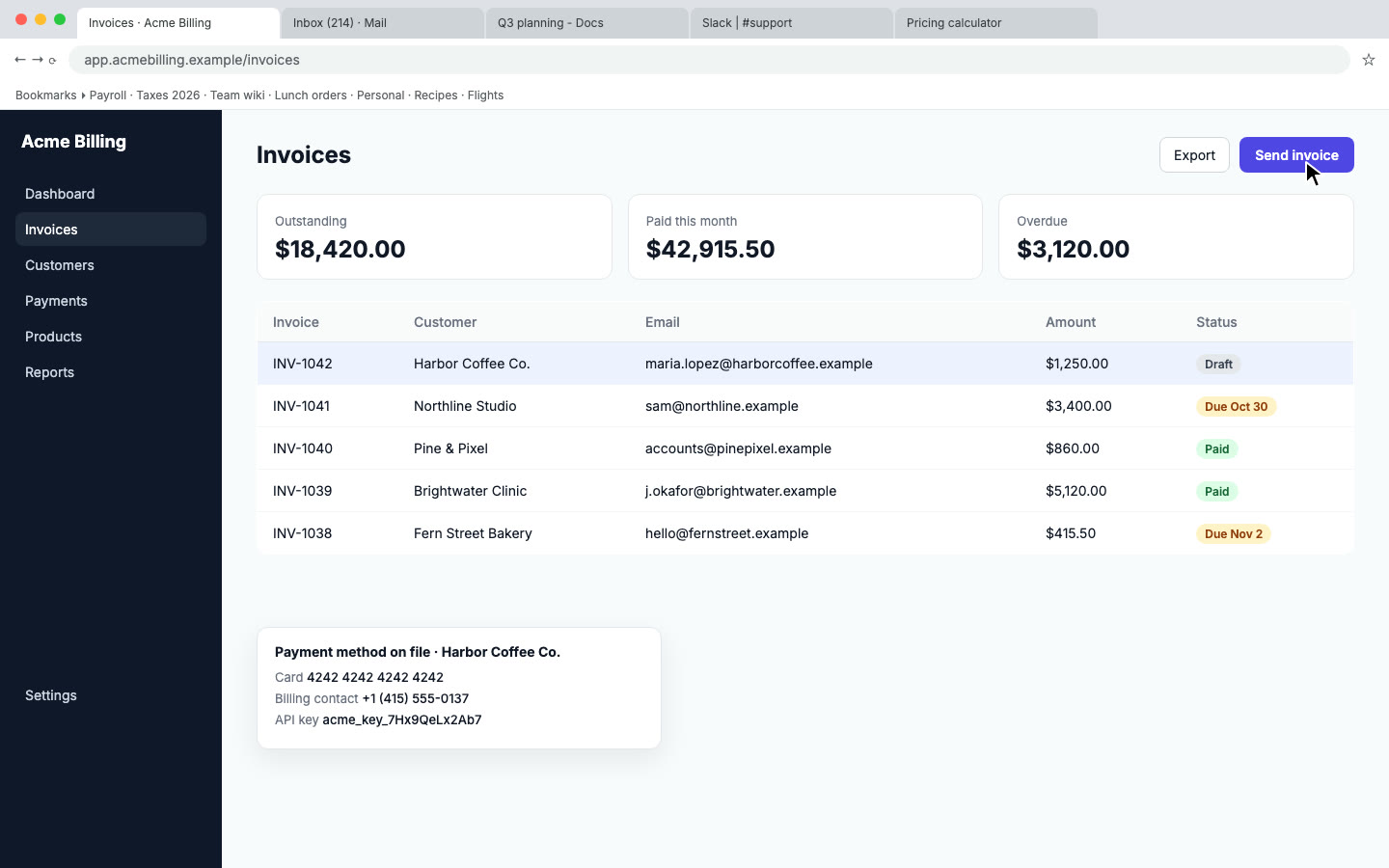
No test data leaks. Nook scans every step for emails, phone and card numbers and API keys and blurs them in the video and the guide.
Fix a line without re-recording. Reviewer asked for a clearer explanation of one screen? Edit that line, re-render, and resubmit the new MP4 or link.
How it works
- Record your development store with any screen recorder: QuickTime, OBS, the Windows Snipping Tool, or a Loom download. Install the app, finish setup, and use each feature you list in your test cases.
- Upload the file to Nook. It splits the recording into steps and writes the script.
- Check the script, change anything that's off, and download the MP4 or copy the share link for your submission.
What Nook isn't for
Your App Store listing can also show a promotional video. That's a different video: Shopify suggests 2 to 3 minutes, "promotional rather than instructional", with screen recordings limited to 25% of it. A Nook video is an instructional screencast, so use it for review and for your help docs, not as the listing promo.
Pricing
One review screencast is $9: up to 15 minutes, no watermark, editing, 10 re-renders and downloads. Your first video is free, up to 1 minute, so you can see the result on your own recording first. If you ship several apps or frequent updates, Pro is $19 a month for 10 videos. See pricing. Submitting to other platforms too? See our app review videos page.
Questions
Will Shopify accept a video made with Nook?
Shopify reviews what the screencast shows, not the tool that made it. Make sure your recording covers the full setup and every feature in your test cases. Nook makes it easier to follow, it can't add steps you didn't record.
Do I have to talk while recording?
No. If you record in silence, Nook reads the text on screen, like page titles, buttons and field labels, and writes the narration from that.
What about my store's test data and API keys?
Nook flags emails, phone and card numbers and API keys on screen and blurs them. Review each step's flags before you download, and use a development store with demo data.
What do I get at the end?
An MP4 download, a share page with chapters, and the written guide as PDF, Word or Markdown.
Make your review screencast
Upload the recording you already have. Your first video is free, then $9 per video.
Start free